Appearance
Color Detection
The Color Detection function ensures that access is granted only when required PPE with correct color is worn. This helps to make sure that everyone entering a controlled area follows the correct safety rules.
At the moment only Sleeve cover PPE is supported for the color checks. Platform supports seven colors: red, green, blue, yellow, white, black and orange.
Contact your local technician to properly connect the Mirror.
Configure Color Detection
To enable this function, go to the Color Match part in the Mirror Admin Settings page.
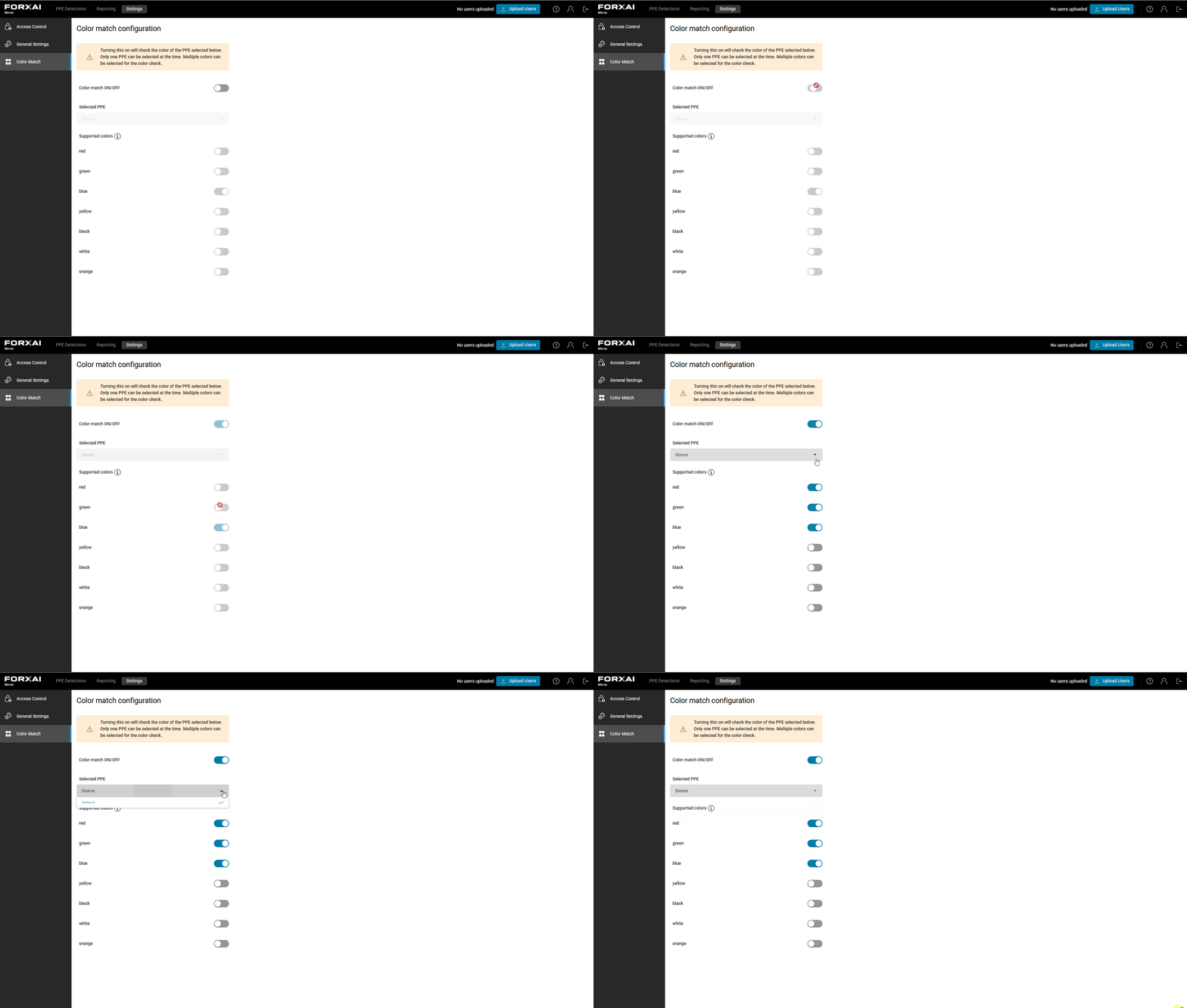
The Color match toggle must be enabled. When enabled, list of PPEs to select from and all supported colors are enabled for editing as well. Select one PPE and enable all colors that are accepted.
⚠️
At the moment only one PPE can be selected for the Color Match detection. Number of enabled colors is not limited.
How it works
The system first checks that required protective equipment is worn correctly. If this check is successful, the system then identifies the color of the selected protective equipment. If the detected color is one of the supported ones, the appropriate door opens and pass result appears. In this case the mirror will show the green icon for the color match.
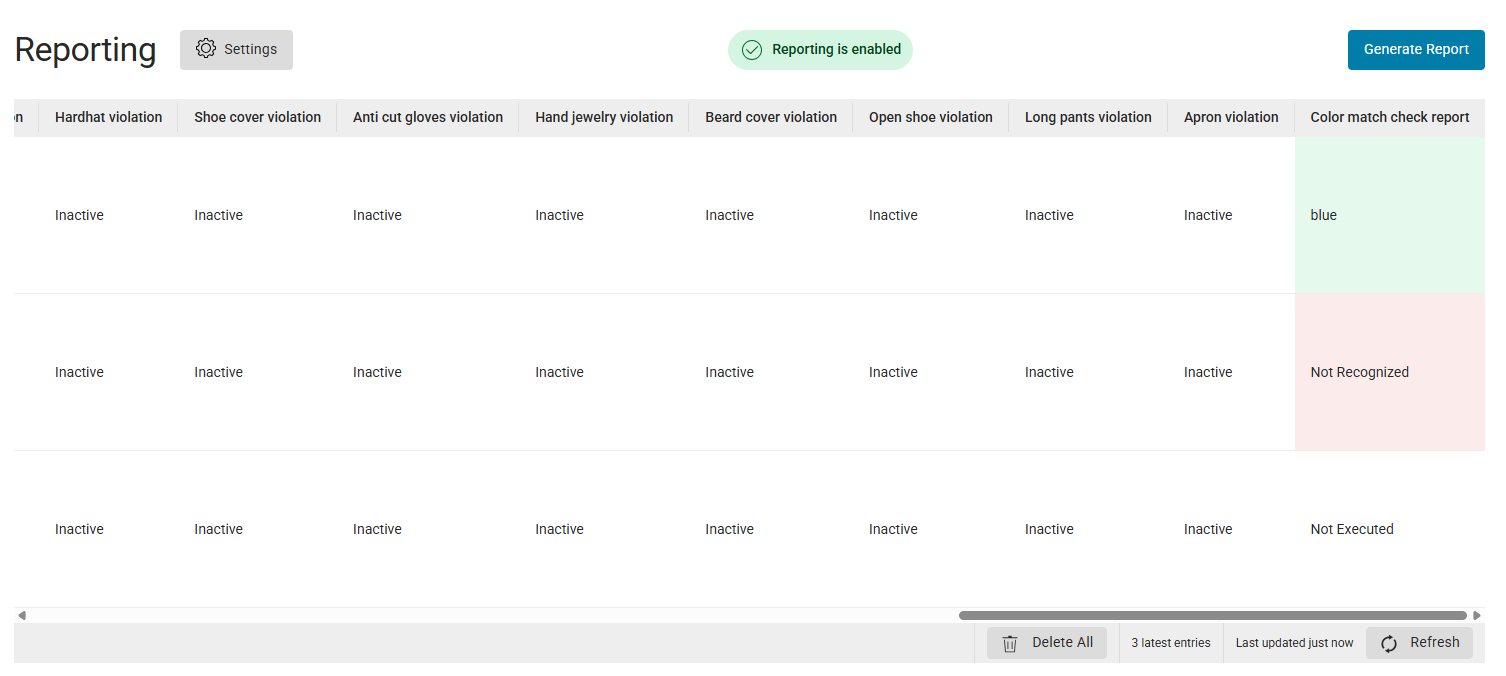
Reporting will contain recognized color in Color match check report column and the Final result is Pass.

Missing or incorrectly worn PPE
If the required equipment is missing or incorrectly worn, access is denied. The mirror will shows red icon for the PPE and for the color match. Red polygons will be shown on taken snapshot as well.
In this case the reporting will contain Color match check report = Not Executed and the Final result is Fail. No doors will be opened.

Incorrect color
When the PPE is worn correctly but the color was not enabled (not set as supported) access is also denied and a red color warning icon is shown on the screen with polygons placed on the place where PPE with incorrect color is placed. Reporting will contain Color match check report = Not Recognized and the Final result is Fail. No doors will be opened.
The same behavior is for the color mismatch when PPE consists of more parts (for example left and right sleeve cover). To enter, both PPEs must have the same color and the color must be enabled in the configuration page.
Reporting
Reporting includes a Color match check report that shows the result of the color evaluation.
When a supported color is configured and successfully detected, the column displays the name of the recognized color. If a color is not set as accepted, the column shows Not recognized. If required protective equipment is missing, the column shows Not executed.
Admin override
On admin override with Color Match ON, all the doors open at the same time. PPE and color checks are bypassed. A Guide how does the Admin Override work in general.