
Appearance
Expiring and Expired License
This article explains what happens when your license expires, how it differs from an expiring license, and how to renew it.
License expiration explained
When your license expires, you will not be able to run deployments until a valid license is applied.
As a result, the product will no longer be operational for the customer until it is renewed.
Expiring license
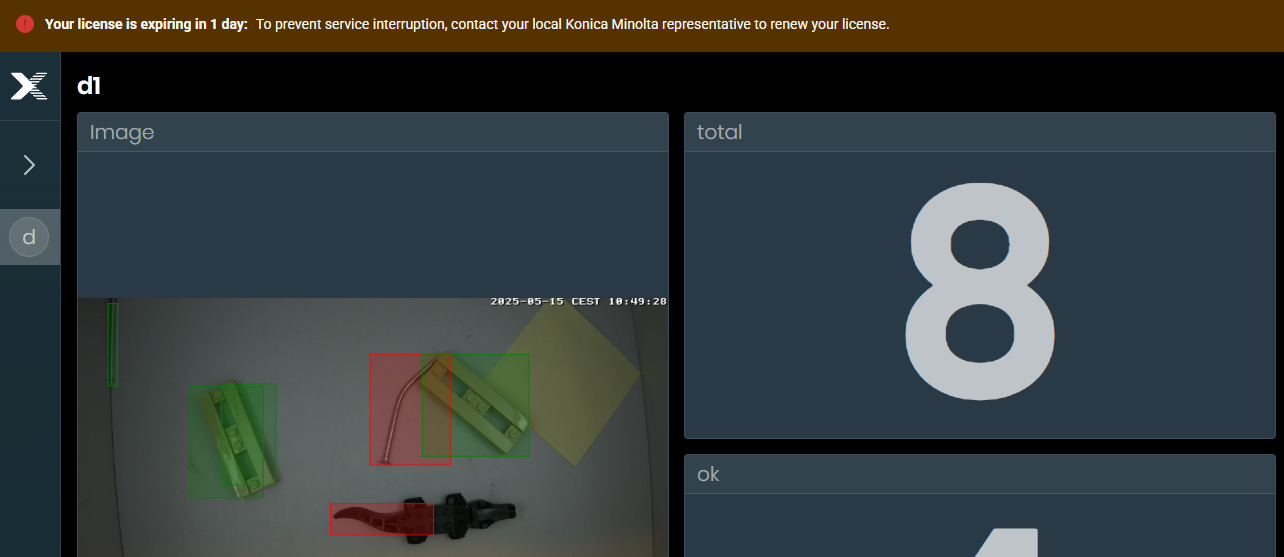
A license that is close to its end date. You will receive a warning before it expires. The application shows expiration info banner in advance.
Expiring license banner is shown across whole platform - dashboard page, builder page, hub page...

Expired license
A license that has passed its end date, meaning the product is no longer functional.

License renewal
To renew your license, please refer to the Renew License page for detailed instructions.
Keep your license up to date to ensure uninterrupted service and access to the product.