
Appearance
What's New in 2.8
This article details changes in major content release v2.8, for full reference on the features visit documentation.
Summary
In this minor release we are introducing Reporting Dashboard that enables users to review stored statistical data and images. This can be used for evaluation of defect rates of production lines and review detected defects along with detection attributes. Review Reporting section for further information.
Machine learning capabilities were extended by adding support for anomaly detection models. These models enable detection of defects by detection of foreign elements in camera view based on provided dataset of baseline images. Review Anomaly detection section for more information.
License management is introduced to ensure that running deployments have valid license. Without valid license deployments cannot be started and running ones will be stopped when license expires.
Major Features
Reporting
Reporting enables users to review and analyze detection results, including defects, discrepancies, and inspection outcomes, in a detailed, organized format.
Reporting dashboard
The dashboard provides real-time access to deployment results, allowing users to monitor ongoing performance and results at any time.
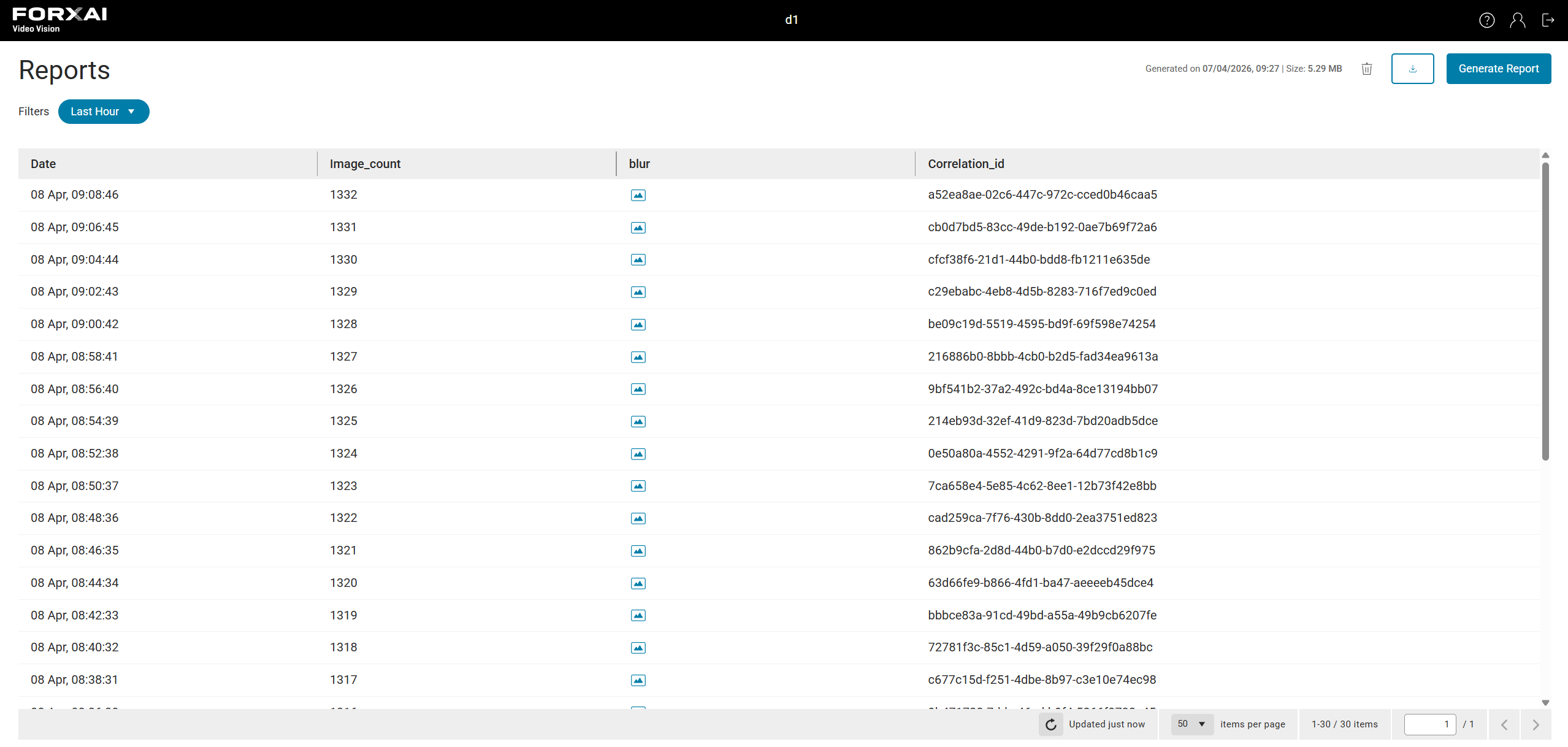
Storing specific data points
Users can specify which data points are collected for reporting, ensuring that the relevant information is stored and available for analysis.
Retention Periods
Data retention periods determine how long specific data points are stored before being automatically deleted. Reporting supports both long-term retention for smaller data (like text and numerical values) and short-term retention for larger data (like images). This helps users balance storage needs with the importance of the data.
Retention settings can be applied individually to each data point, offering users the flexibility to tailor data storage according to their needs.
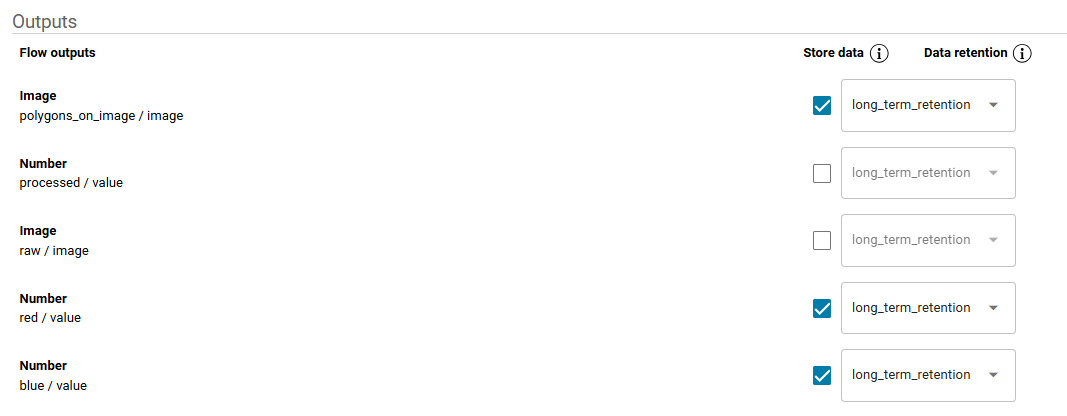
Exportable reports
Users can generate downloadable reports in CSV format and optionally include images, providing a comprehensive way to review and share the collected data.
Anomaly detection
Added Anomaly Detection to the platform, enhancing its ability to monitor production environments.
Overview
Anomaly detection adds a new layer of functionality to our existing Defect Detection and Classification Models.
Defect Detection & Classification Models are used to identify specific, predefined defects in products, such as scratches, dents, or rust. They work by detecting known issues and categorizing them accordingly.
Anomaly Detection: Unlike defect detection models, anomaly detection looks for unusual patterns or outliers in the data that may not fall into a specific defect category. It flags deviations from normal behavior, helping to identify potential issues that don't have predefined labels.
Key Benefits:
Early Detection of Unseen Issues: Anomaly detection can identify irregularities or emerging issues that may not yet be categorized as defects.
Broader Monitoring: It provides a way to monitor for unexpected changes in production that may not be captured by traditional defect detection models.
Increased Flexibility: Suitable for complex or dynamic environments where new issues may arise outside predefined categories.
This feature works alongside the existing defect detection models, offering a more comprehensive approach to monitoring production lines.
License management
⚠️ License validation
Starting from this update, the platform performs daily checks for license validation.
Make sure your license is up-to-date and valid before updating. If your license is expired or invalid, the application will no longer function after the update.
License expiration
The platform now includes notifications for license expiration to help users manage their licenses.

Clear messages are displayed when a license is expiring or has expired, ensuring users are informed and can take appropriate action.
Version display
You can now view the application version by clicking the question mark in the top right corner.
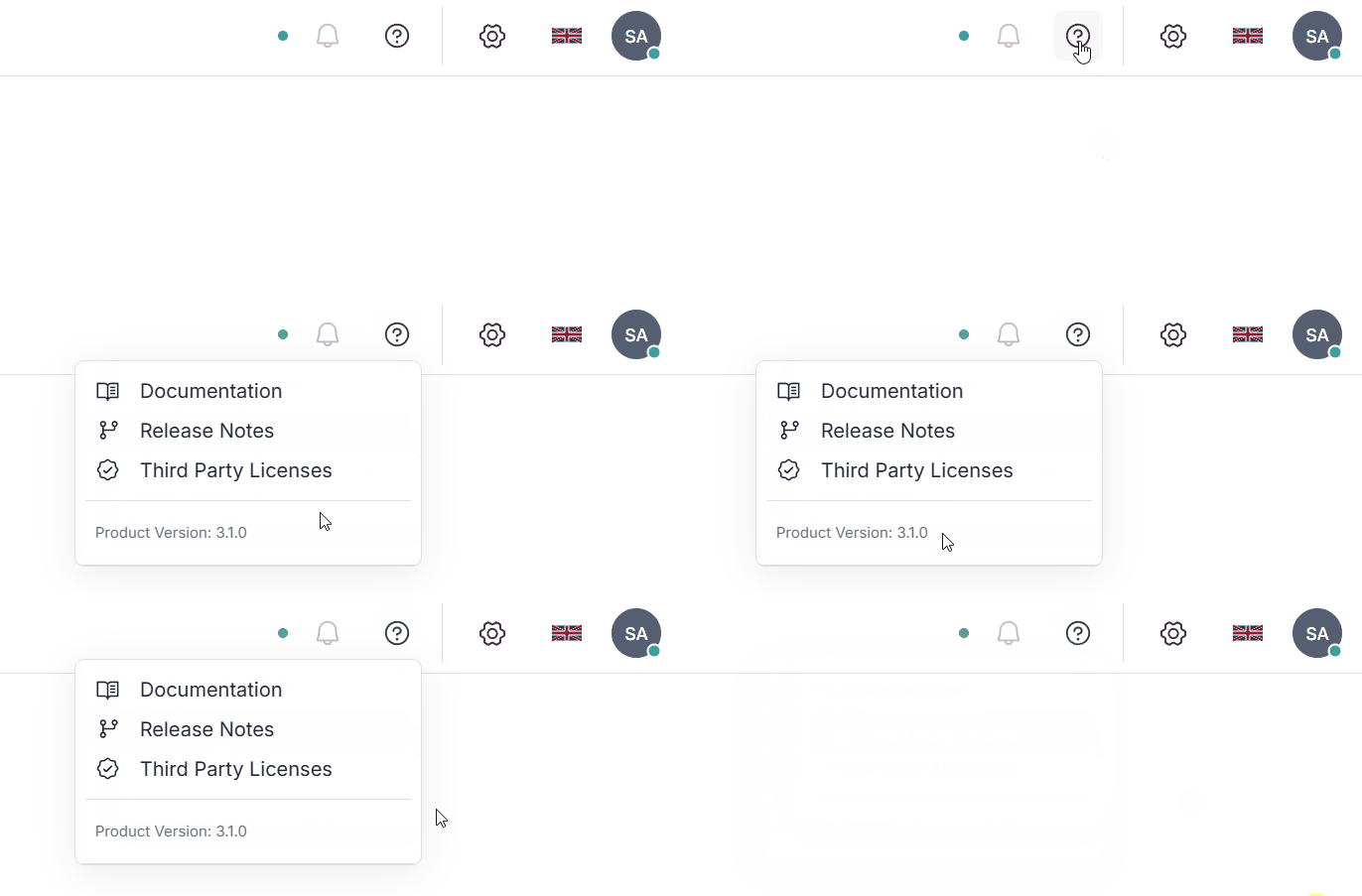
Compatibility
The Video Vision platform was tested on Ubuntu Server 22.04.5 LTS. No breaking changes were identified.
This version powers minor release of Forxai Mirror v2.4.0.