
Appearance
Virtual Camera
This page provides instructions for creating and configuring Virtual Camera that is needed for Virtual image feeder. More information about Virtual Image Feeder and how to run it is on Virtual image feeder page.
Create virtual camera device
To be able to provide input to the system, virtual camera has should be created. To create a new virtual camera device:
- Navigate to the Devices section of a Builder.
- Click the Create Device button.
- Enter a unique and valid name, set fps - speed of a playback and checkbox - to run in a loop or once.
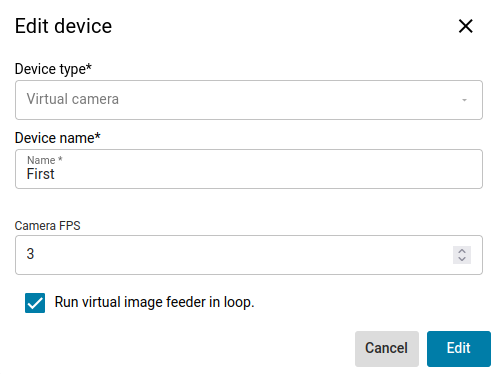
- Click Confirm and virtual camera will be created
Configure virtual camera in deployment
To be able to use virtual camera with dataset it needs to be mapped in deployment configuration. To map virtual camera:
- In the flow builder, select node Image stream to provide input to the system.
- In deployment tab create new deployment and open its configuration, in Devices section associate input with created virtual camera device.

- Configure the rest intputs/outputs, dashboard if needed.
- Start the deployment and continue to Virtual Image Feeder tab on Hub page
<IP>/hub/deployment/virtual-image-feeder.