
Appearance
 Heatmap Threshold
Heatmap ThresholdOverview
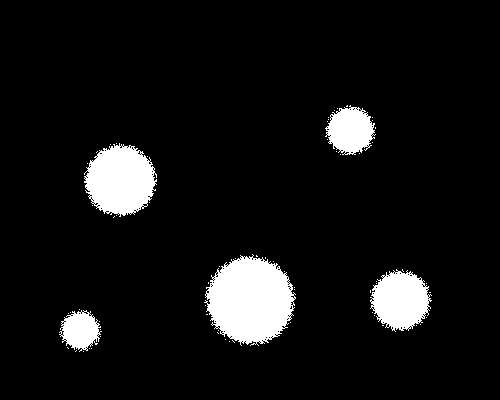
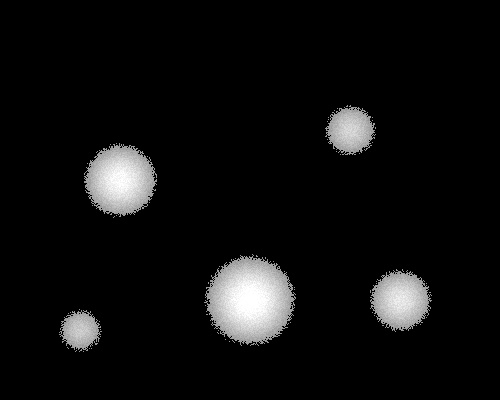
The Heatmap Threshold node filters a heatmap by setting the pixels to 0 if their values are below the threshold. By default it binarizes the result — pixels at or above the threshold become 255 (white) and everything below becomes 0 (black). Disable binarization to keep the original intensity values instead.
Use Heatmap Threshold when:
- You need to suppress low-intensity noise and keep only the strongest values.
- You want to create a thresholded heatmap for downstream processing while retaining intensity information.
💡 Tip
Adjust the threshold carefully to balance between capturing relevant details and excluding background noise. Try disabling binarization when you need to preserve intensity differences above the threshold.
Inputs
| Name | Type | Description |
|---|---|---|
| heatmap | image | Receives the input heatmap. |
Outputs
| Name | Type | Description |
|---|---|---|
| thresholded | image | The thresholded heatmap. Pixels below the threshold are 0. Pixels at or above are set to 255 when binarization is enabled, or keep their original value when it is disabled. |
Parameters
| Parameter | Default | Valid values | Unit | Tunable |
|---|---|---|---|---|
| Heatmap threshold | 0 | 0 – 255 | 8-bit levels (0–255) | ✅ |
| Binarize heatmap | true | true / false | - | ✅ |
Heatmap threshold
The pixel intensity cutoff (0–255). Pixels with values equal to or above the threshold pass through; pixels below are set to 0. This value can be changed at runtime.
Binarize heatmap
Controls what happens to pixels that pass the threshold.
- true (default): All pixels at or above the threshold are set to
255(white), producing a binary mask. - false: Pixels at or above the threshold keep their original intensity value.
Example
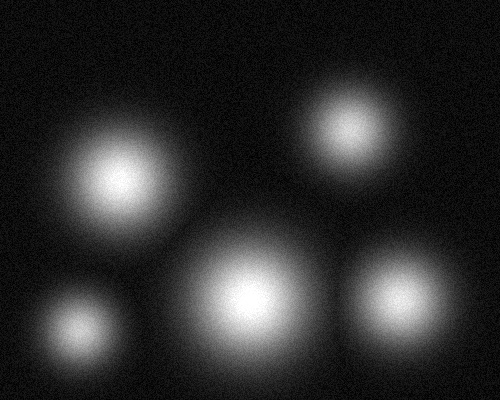
Isolate Hotspots
A heatmap represents temperature across a surface. You want to isolate areas exceeding a specific intensity with threshold = 150.
Related links
Reference:
- Polygon Threshold — filters polygons based on spatial criteria
- Overlay Heatmap — overlays a heatmap onto an original image
- Apply Mask — uses a binary mask to isolate areas of an image